Taxi Getaway Controls
Best-effort PC, mobile, and console bindings for Roblox vehicle sims, tuned for fares and getaways.
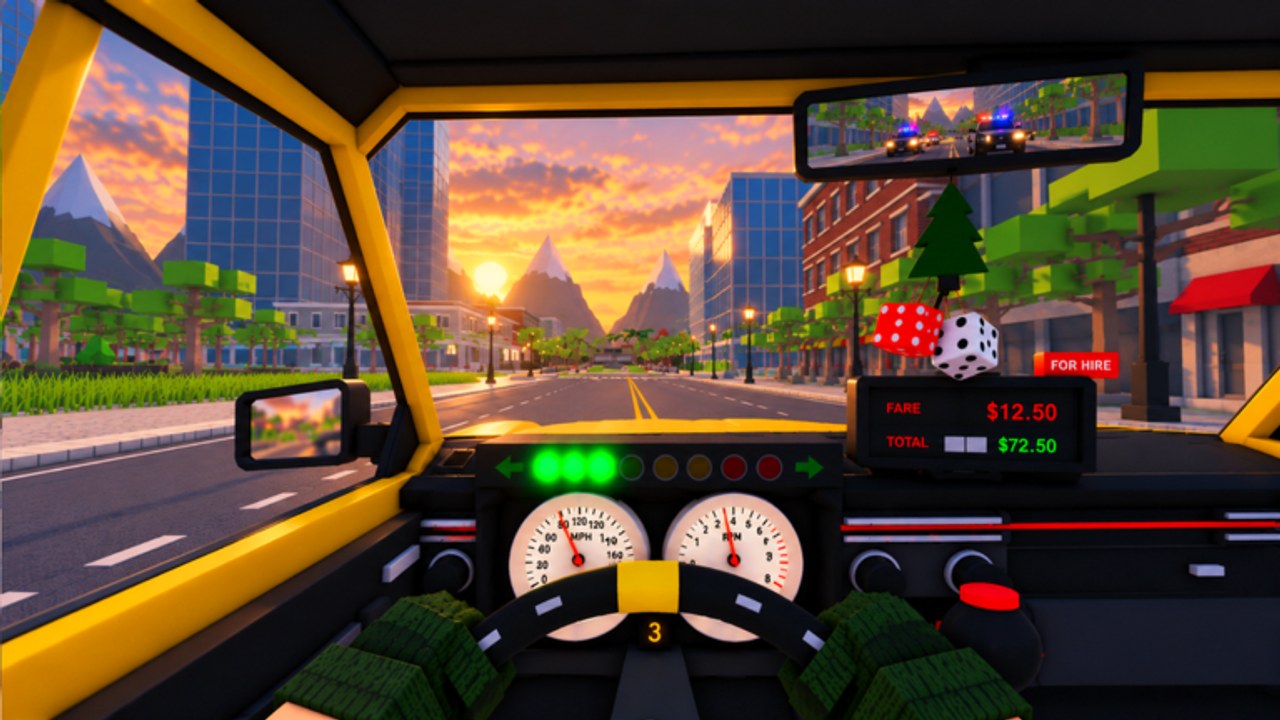
Clean inputs win more money than raw courage in Taxi Getaway. Whether you are finishing a quiet fare or weaving alleys with a robber in the back seat, the same fundamentals apply: smooth throttle, early braking, and deliberate steering. This guide covers best-effort Roblox vehicle-sim controls for PC, mobile, and console, then layers Taxi Getaway-specific advice for chases, drop-offs, races, and police work. Exact prompts can shift with Roblox client updates—always glance at any in-experience control hint—but the habits below stay useful across Garage Games’ city.
New drivers should finish Getting Started first, then return here whenever a platform feels awkward. Pair chase sections with escape the police and earning goals with make money fast.
PC keyboard and mouse (default Roblox vehicle pattern)
On desktop, most Roblox driving experiences map movement to the left hand:
- W — accelerate / throttle
- S — brake and reverse (hold after stop to back up)
- A / D — steer left / right
- Space — handbrake or drift trigger on many vehicle sims (use for tight U-turns and alley snaps)
- Shift — sometimes sprint on foot or a vehicle modifier; check your on-screen prompt
- F or E — common interact keys for entering vehicles or confirming prompts (varies by experience)
- Left mouse — camera look when not locked; keep the view ahead of the car in chases
Camera discipline matters as much as the keys. In third person, pull the view slightly high so you can see sidewalk passengers and police lights early. Do not hold W at 100% through every corner in the starter sedan—lift before the turn, roll in, then throttle out. That pattern alone cuts wall hits on early fares.
If you use a controller on PC, prefer the console layout below; Roblox usually remaps sticks and triggers cleanly.
Mobile touch controls
Mobile players drive with on-screen sticks or tap zones:
- Left virtual stick — steer (and sometimes combined move while on foot)
- Right throttle / brake buttons — accelerate and brake/reverse, depending on the UI skin
- Camera drag — swipe empty screen space to look through turns
- Jump / action buttons — may double as handbrake or interact; learn which icon enters the taxi versus which drifts
Mobile disadvantage is precision; advantage is always-on touch braking. For robber chases, practice feathering the brake button instead of slamming it—ABS fantasy does not save a flipped cab. Rotate the device to landscape if you have not already; portrait squeezes the stick travel and makes alley cuts harder.
Lower graphic settings if frame rate dips during multi-car pursuits. Six-player sessions can spike when several taxis and patrols share a block, and input lag is deadly when you need a last-second cut for street races.
Console (Xbox / PlayStation style)
Typical Roblox vehicle mapping on gamepads:
- Right trigger (RT / R2) — accelerate
- Left trigger (LT / L2) — brake / reverse
- Left stick — steer
- Right stick — camera
- A / Cross — jump or confirm (context)
- X / Square or B / Circle — interact / secondary actions depending on bind
- LB / L1 or bumper combos — occasional handbrake or ability slots
Triggers give analog feel that keyboards lack. Use partial brake pressure to rotate the car without spinning. In getaways, pulse the brake before a ninety-degree alley instead of holding full LT into the wall. Keep the right stick moving—console players who “set and forget” the camera clip corners they never saw.
Disable vibration if it distracts you during long daily-goal grinds; keep it on if haptic cues help you notice collisions.
Fare driving: smooth is fast
Normal passengers pay for arrival, not highlight-reel drifts. Approach sidewalk pickups slowly so the enter prompt appears without bumping the NPC into traffic. After boarding, follow the destination marker with steady speed. Brake earlier than you think when the drop pin sits mid-block; overshooting forces awkward reverse wiggles that waste time and look sloppy in a full lobby.
Use the horn or lights only if the experience exposes them and traffic blocks a lane—spam does not increase pay. Between fares, roll at cruise speed while you scan for the next marker and check whether a daily goal wants race completions or chase survivals.
Chase driving when a robber boards
Robber fares flip the control priorities. You still need to reach a drop point, but line-of-sight breaks matter more than perfect racing lines. Practical chase habits:
- Brake before the cut, not inside it. Enter alleys at a speed your cab can rotate. The sedan needs earlier braking than a supercar—see the tier list for which chassis forgives late inputs.
- Handbrake snaps for ninety-degree escapes. Tap space or the console handbrake bind to rotate, then throttle. Holding handbrake too long kills exit speed and lets cops close.
- Avoid long straightaways once locked. Straights are where police maintain visual contact. Chain two turns, then a short alley, then a reverse direction change.
- Throttle discipline on landing. After jumps or curbs, wait a beat before flooring it so the car settles; airborne spam steering causes rolls.
- Camera ahead of the threat. Peek behind only in safe intervals; tunnel vision on the rear mirror is how you miss the next turn.
Full route theory lives in escape police. Controls only buy you the milliseconds that routes exploit.
When to brake hard vs. lift
Hard brake when a patrol is about to PIT you into a wall, when a race chicane is one car wide, or when a pedestrian cluster blocks the fare pin. Lift and coast when you need a gentle corner entry on wet-feeling asphalt or when you are lining up a parallel drop-off. New players overuse hard brake and underuse lifts; the sedan especially rewards early lifts because its nose dives and understeers when you mash S mid-turn.
In police mode, the same rule flips: force the suspect into a hard-brake mistake by cutting their exit, then brake yourself so you do not overshoot the bust prompt.
Alley cuts and map literacy
Alleys are the skill ceiling for Taxi Getaway controls. Mentally mark which side streets are one-way squeezes versus through-cuts. Practice empty runs: pick a downtown block, weave alleys without a passenger, and learn where the sedan clips dumpsters. When you later take a robber, those rehearsed inputs fire automatically.
Do not invent cuts through solid props—Roblox collisions are unforgiving. If a gap looks tighter than your cab, it probably is until you own a smaller-feeling mid-tier taxi. Upgrade progression advice sits in Getting Started and make money fast.
Race-specific inputs
Street races punish panic steering. Coast more, apex later on wide turns, and save handbrake for hairpins. If a daily goal asks for race finishes, warm up with one clean lap of inputs before you contest ghosts or other players. Crashing resets rhythm harder than a slightly slow clean line.
Accessibility and comfort tips
- Remap Roblox experience keys in client settings if W/A/S/D conflicts with muscle memory from another game.
- On mobile, enable any larger-button UI options if present.
- Take breaks during long crate or daily grinds; tired thumbs cause flipped taxis more than bad cars do.
- Cosmetics like underglow and paints do not change bindings—but higher visibility paint can help you spot your own cab after a multi-car pileup.
Quick platform checklist
- PC: Master lift-throttle cornering and spacebar snaps; keep mouse camera predictive.
- Mobile: Landscape, gentle brake taps, reduced graphics if needed.
- Console: Analog triggers for partial brake; active right-stick camera.
- All: Practice alleys empty, then apply in robber chases and police busts.
Controls will not replace a weak upgrade path, but they multiply every taxi on the ladder. Once inputs feel boringly consistent, push riskier robber routes, tighter race lines, and smarter police cutoffs—and keep this page bookmarked the next time a friend asks why your sedan still out-drives their unupgraded panic steering.
Frequently Asked Questions
Quick answers for Taxi Getaway drivers and chasers.
What are the default PC driving keys in Taxi Getaway?
Expect the standard Roblox vehicle layout: W accelerate, S brake/reverse, A/D steer, and Space for handbrake or drift on many builds. Confirm any on-screen prompts after updates.
How do I drive better on mobile?
Use landscape orientation, feather the brake instead of mashing it, and drag the camera through corners. Lower graphics if pursuits drop frames in full six-player servers.
When should I use the handbrake?
Tap it for sharp alley snaps and hairpins. Holding it too long kills exit speed and lets police or racers close the gap.
Do better taxis change the controls?
Bindings stay similar, but faster cars need earlier braking and smoother steering. Learn habits in the sedan, then adapt timing as you climb the six-taxi ladder.
Where should I practice chase controls?
Run empty alley drills, then take a robber fare and apply the escape-police routes. Mixing practice with real double-pay jobs builds transferable muscle memory.